
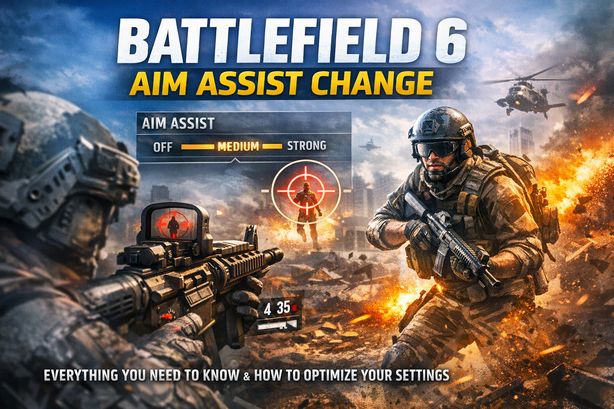
Jumped into Battlefield 6 expecting smooth, familiar shooting — only to find your crosshair dragging in all the wrong directions, or not dragging at all? You’re not alone.
DICE tweaks the aim assist system with every new Battlefield title. Thousands of players are left scrambling to work out what changed and which settings to adjust. That’s why the Battlefield 6 aim assist change is one of the most talked-about topics in the community, and for good reason.
Aim assist is fundamental to how Battlefield feels on a controller, on console or PC. When the system works well, gunfights feel crisp and responsive. When it doesn’t, even experienced players lose duels they should win.
Add Battlefield 6’s aggressive skill-based matchmaking (SBMM) and you get sweaty lobbies where every millisecond of aim precision matters. So understanding the Battlefield 6 aim assist change is critical. Pair optimized settings with the right tools — like BotLobbies’ gaming VPN and matchmaking optimization suite — and the game can go from rage-inducing to genuinely enjoyable.
What Is the Battlefield 6 Aim Assist Change?
Aim assist in Battlefield has always been a balancing act. DICE has to keep the game fair for controller players against mouse-and-keyboard users, without letting the system do too much of the work. With Battlefield 6, the developers made significant changes to aim assist behavior, building on lessons from Battlefield 2042 and community feedback.
The Battlefield 6 aim assist change covers the updated mechanics, tuning, and settings that ship with the new title. Three core components are affected:
- Aim Slowdown (Friction): Your crosshair movement decelerates as it passes near or over an enemy target. This helps controller players track targets without overshooting.
- Rotational Aim Assist: Your aim rotates subtly toward a nearby enemy when you strafe or move. It’s the most controversial component, and the one that changes most between titles.
- Snap-On Assist (ADS Snap): A slight pull toward the nearest enemy when you aim down sights. Some Battlefield titles have reduced or removed it entirely.
In Battlefield 6, DICE has reportedly adjusted the strength curves of these systems and changed how they interact at different ranges. New granular settings also let you fine-tune each component independently. Understanding these changes is the first step toward dialing in your accuracy.
How the Battlefield 6 Aim Assist System Works
Aim assist in Battlefield 6 isn’t a single toggle. It’s a layered set of mechanics that bridge the gap between analog stick input and precise aiming. Here’s each component, and what changed.
Aim Slowdown and Friction Zones
When your crosshair enters a radius around an enemy, your look sensitivity drops. That “sticky” feel keeps you on target during tracking fights. In Battlefield 6, the friction zone radius is tighter than in previous titles — you have to be closer to your target before the slowdown kicks in. That rewards players with solid centering and crosshair placement.
It also means less help at longer ranges, where Battlefield’s large maps often force engagements. If you leaned on the friction zone at medium to long range, you’ll feel a noticeable difference.
Rotational Aim Assist Adjustments
Rotational aim assist has been the most debated mechanic in FPS gaming for years. In Battlefield 6, DICE made the rotational component slightly less aggressive in close-quarters combat while keeping its effectiveness at medium range. It’s a deliberate choice — a response to the “aimbot-like” feel some PC players complained about in crossplay.
For controller players, close-range hipfire tracking now needs more manual input. Work your right stick; movement alone won’t hold the target anymore.
New Granular Settings
The biggest part of the Battlefield 6 aim assist change may be the new granular options menu. Players can now independently adjust:
- Aim assist strength (overall multiplier)
- Slowdown zone intensity
- Rotational assist intensity
- ADS snap strength
- Per-zoom-level sensitivity curves
This level of control is unprecedented for the franchise. You can genuinely customize how aim assist feels for your playstyle.
Best Aim Assist Settings for Battlefield 6
You know what changed. Now let’s cover how to change aim assist in Battlefield 6 for maximum effect. Personal preference plays a role, but these setups are excellent starting points.
Aggressive Playstyle (SMGs, Shotguns, Close-Range)
If you push objectives and fight up close, compensate for the reduced rotational assist at short range:
- Aim Assist Strength: 90-100%
- Slowdown Intensity: 70-80%
- Rotational Assist: 90-100%
- ADS Snap: 50-60%
- Hipfire Sensitivity: Slightly higher than default to maintain manual tracking speed
The goal: let rotational assist carry as much as possible in chaotic CQB, where several enemies can be on screen at once.
Balanced Playstyle (Assault Rifles, LMGs, Medium Range)
Most players fight at 20-50 meters most of the time. A balanced setup works best:
- Aim Assist Strength: 80-90%
- Slowdown Intensity: 80-90%
- Rotational Assist: 70-80%
- ADS Snap: 40-50%
- ADS Sensitivity: Slightly reduced for precision tracking
This configuration leans into the improved friction zones at medium range. It keeps enough rotational assist for the occasional close fight.
Precision Playstyle (DMRs, Snipers, Long Range)
Long-range players should cut the “assistance” and lean on friction. You don’t want aim assist pulling toward the wrong target:
- Aim Assist Strength: 60-70%
- Slowdown Intensity: 90-100%
- Rotational Assist: 30-50%
- ADS Snap: 20-30%
- Per-Zoom Sensitivity: Carefully tuned for each optic magnification level
At distance, you want your aim to slow precisely on the target — with no unwanted rotation dragging you off a headshot.
How SBMM Makes Aim Assist Settings Even More Important
Here’s where things get real. Even with perfect settings, Battlefield 6’s skill-based matchmaking keeps pushing you into harder lobbies as you improve. The cycle is frustrating: you optimize, you perform better, and SBMM drops you in with players who optimized too — and bring better raw mechanics.
Settings guides alone can’t fix that hidden problem. You can have the best Battlefield 6 aim assist settings in the world. If SBMM keeps matching you against the top percentage of your region, you’ll still struggle.
That’s where matchmaking optimization comes in. Combine your refined settings with tools that help you find more balanced lobbies. Then you actually get to enjoy your optimized setup instead of being punished for improving.
Why Choose BotLobbies for Battlefield 6
BotLobbies isn’t a generic VPN with a “gaming” label. It’s a purpose-built matchmaking optimization platform for competitive shooters like Battlefield 6. Here’s why that matters for players adapting to the Battlefield 6 aim assist change.
Gaming VPN With 75 Locations Across 150+ Cities
NordVPN and ExpressVPN are built for privacy and streaming, not gaming matchmaking. Their servers aren’t optimized for low-latency play, and they lack the specialized tools that actually affect matchmaking. BotLobbies runs servers out of world-leading datacentre providers. You get speed and reliability while connecting to regions with more favorable matchmaking pools.
Geo Fence Technology
Geo Fence lets you appear to play from a different part of the world. You can reach lobbies during off-peak hours in other time zones. That means lobbies with a lower average skill level — exactly where your freshly optimized aim assist settings shine.
Location Randomizer
Each time you connect, the Location Randomizer shows your location from a different city or town within the selected country. Matchmaking algorithms tend to flag repeated connections from the same non-standard location. The rotation keeps your connection pattern looking natural.
NAT Switcher for Narrower Lobby Pools
The NAT Switcher sets your in-game NAT type to Strict, which groups you with other Strict NAT players. That narrows the opponent pool and often produces more favorable matchups. Combined with optimized aim assist settings, it can dramatically improve your Battlefield 6 experience.
Works on PC and Console
Many gaming tools are PC-only. BotLobbies supports both PC and console. PlayStation, Xbox, or PC with a controller — you get matchmaking optimization alongside your Battlefield 6 aim assist change.
Tips and Best Practices for Aim Assist in Battlefield 6
Copying settings only gets you so far. These habits squeeze the most out of the new system.
1. Spend Time in the Firing Range First
Test every aim assist setting in Battlefield 6’s practice range before jumping into multiplayer. Adjust one slider at a time. Pay attention to how each change feels during both tracking and flicking motions.
2. Match Your Settings to Your Sensitivity
Aim assist and look sensitivity are deeply linked. Too high a base sensitivity and aim slowdown feels jarring; too low and rotational assist can’t keep up with fast targets. Find a sensitivity where your manual aim feels smooth, then layer aim assist on top.
3. Revisit Settings After Major Updates
DICE regularly patches aim assist values in response to community feedback. Recheck your settings after any major update. The Battlefield 6 aim assist change you tuned for at launch may behave differently three months later.
4. Use BotLobbies to Practice in Lower-Pressure Lobbies
Experimenting with new settings in a lobby full of top-tier players is brutal — every mistake gets punished. Use BotLobbies to connect to more relaxed lobbies while you dial in your configuration. Then carry those optimized settings into any match with confidence.
5. Don’t Max Everything Out
Setting every slider to 100% is tempting, and it can hurt your gameplay. Too much assistance creates a “heavy” feeling that makes target switching and micro-adjustments harder. Find the sweet spot where aim assist helps without taking over.
6. Consider Your Display and Input Lag
Aim assist responsiveness depends on your whole input lag chain. A gaming monitor with a low response time helps. So does enabling any low-latency mode on your console or PC.
Frequently Asked Questions
How do I change aim assist settings in Battlefield 6?
Open the Settings menu, then select Controller Settings or Input Settings. The options live under a dedicated Aim Assist submenu. From there, you can independently adjust aim assist strength, slowdown intensity, rotational assist, ADS snap, and per-zoom sensitivity curves.
Does aim assist work on PC in Battlefield 6?
Yes — Battlefield 6 aim assist works on PC when you use a controller. On mouse and keyboard, aim assist is disabled. The game detects your input method automatically and applies or removes aim assist to match.
Can a VPN help me get easier lobbies in Battlefield 6?
A purpose-built gaming VPN like BotLobbies can influence matchmaking by changing your perceived geographic location. That opens lobbies in different regions and time zones, where matchmaking pools can be less competitive. Standard consumer VPNs aren’t designed for this and usually add too much latency for gaming.
Is the Battlefield 6 aim assist change the same on console and PC?
The core mechanics are the same on every platform when using a controller. However, DICE may apply slightly different tuning values based on platform or crossplay settings. Console-only lobbies may behave differently from crossplay-enabled lobbies, so check your crossplay settings if something feels off.
Will BotLobbies work with Battlefield 6 on both console and PC?
Yes. The VPN, Geo Fence, Location Randomizer, and NAT Switcher all work on both PC and console. One subscription covers every feature, with no additional cost for multi-platform use.
The Battlefield 6 aim assist change is a real evolution in how DICE handles controller aiming, and it gives players more control than ever. Learn the updated mechanics — tighter friction zones, adjusted rotational assist, new granular sliders — and you can dial in settings that fit your playstyle and sharpen your accuracy. But settings alone only go so far while SBMM keeps ratcheting up the competition.
That’s where BotLobbies completes the picture. A gaming VPN built across 75 countries and 150+ cities, plus Geo Fence technology, Location Randomizer, and NAT Switcher, gives your optimized aim assist settings room to actually matter. Visit BotLobbies.com today, choose a subscription plan that works for you, and play Battlefield 6 on your terms.