
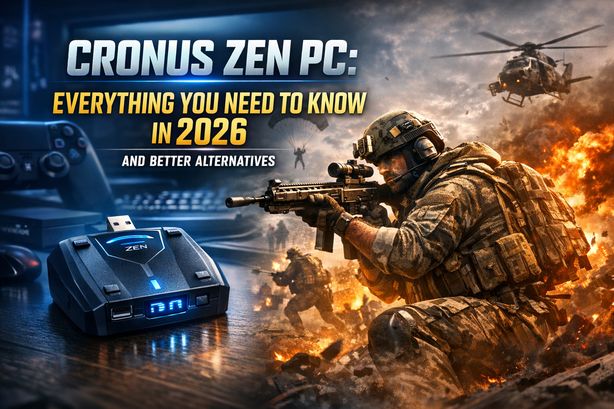
You’ve put hours into Call of Duty. Yet every lobby feels like a grand final. Your aim is fine. Your game sense is sharp. But players with laser accuracy and zero recoil keep outgunning you. The frustration builds, and you start searching for answers. That search probably led you to the topic of Cronus Zen PC.
The Cronus Zen is one of the most talked-about devices in competitive gaming. It’s also one of the most controversial. Players turn to it hoping to level the field. That pull is strongest on PC, where competition is fierce and skill-based matchmaking (SBMM) keeps pushing you into harder lobbies. But is it really the answer? Or are there smarter, safer ways to enjoy your shooters?
This guide covers everything you need to know about using a Cronus Zen on PC in 2026. We’ll explain how it works, the risks you take, and what the community thinks of it. Then we’ll show why tools like BotLobbies offer a far better path to enjoying your favourite shooters without the sweat.
What Is Cronus Zen and How Does It Work on PC?
The Cronus Zen is a small USB device. It acts as a controller adapter and script engine. It was originally built for cross-platform controller support — using a PlayStation controller on Xbox, for example. It then became infamous for something else: running custom scripts called “GamePacks.” These scripts automate in-game actions like recoil compensation, rapid fire, and aim assist manipulation.
For Cronus Zen PC use, the device sits between your controller and your computer. Mouse and keyboard need extra adapters. The Zen intercepts your input signals and modifies them in real time, based on whatever script is loaded. For PC gamers, that typically means:
- Anti-recoil scripts that automatically pull your aim down to counter weapon kick
- Rapid fire mods that raise the fire rate on semi-automatic weapons
- Aim assist enhancements that try to strengthen the controller’s built-in aim assist
- Movement macros for techniques like drop-shotting or bunny hopping
The device doesn’t inject code into the game. It works at the hardware input level. That’s why anti-cheat systems struggled to detect it for years. But that landscape has changed dramatically in 2026.
Setting Up Cronus Zen on PC: What’s Actually Involved
Hardware Requirements and Connection
To use a Cronus Zen on PC, you need the device, a compatible controller, and a USB connection to your computer. Setup involves five steps:
- Connecting the Cronus Zen to your PC via USB
- Plugging your controller into the Cronus Zen
- Downloading the Zen Studio software on your PC
- Loading GamePacks or custom scripts onto the device
- Configuring sensitivity and script parameters to match your in-game settings
Zen Studio is where all the customisation happens. Players browse community-made scripts, adjust anti-recoil values for specific weapons, and tune settings to their playstyle. PC adds an extra layer of hassle. Many PC players use mouse and keyboard rather than controllers. That requires adapter workarounds, and they don’t always run smoothly.
The Calibration Challenge
Calibration is the most underrated problem with Cronus Zen PC setup. Anti-recoil scripts must be tuned for each weapon, each sensitivity setting, and even each attachment loadout. Change your barrel in Warzone? Your script may now overcompensate or undercompensate. Switch from controller to mouse and keyboard? The entire profile needs reworking.
The result is constant tinkering. You spend your time outside the game adjusting scripts. You’re not playing, and you’re not improving your real skills.
The Risks of Using Cronus Zen on PC in 2026
Anti-Cheat Detection Has Evolved
Back in 2022 and 2023, the Cronus Zen sat in a grey area. Detection was limited. That is no longer true. In 2026, anti-cheat technology has moved on:
- Activision’s RICOCHET anti-cheat now runs input pattern analysis. It can flag the unnatural recoil compensation that scripting devices produce
- Kernel-level anti-cheat systems across multiple titles have got better at spotting hardware-level input manipulation
- Machine learning models trained on millions of legitimate player inputs catch the telltale uniformity of scripted behaviour
Cronus Zen users on PC now face a real risk of detection, shadow bans, and permanent account bans. Think about what’s tied to your account — battle pass progress, purchased skins, ranked history. That risk simply isn’t worth it.
Community Reputation and Social Consequences
The community’s attitude toward Cronus Zen users has hardened. Content creators regularly call out suspected Cronus users. The “Cronus kid” label carries real stigma in gaming circles. If you stream, create content, or play with friends, the reputational risk alone should give you pause.
Terms of Service Violations
Every major competitive shooter bans hardware devices that modify input for an unfair advantage. That includes Call of Duty, Apex Legends, Fortnite, Overwatch, CS2, and Battlefield 6. Using a Cronus Zen for PC gaming puts you in clear violation of these terms. That’s true whether you’re detected straight away or not.
Why Players Search for Cronus Zen PC (And What They Really Need)
Let’s be honest about why players look into Cronus Zen. It’s rarely because someone wakes up wanting to cheat. The real motivations usually look like this:
- Frustration with SBMM — every lobby feels impossibly difficult
- Wanting to compete with perceived cheaters — it feels like everyone else has an unfair edge
- Inconsistent performance — one great game, then a run of brutal lobbies
- Desire for casual fun — wanting to relax without every match becoming a sweat-fest
These are all fair frustrations, and they deserve fair solutions. The core problem isn’t your aim or your recoil control. It’s the matchmaking system itself. That’s exactly the problem BotLobbies solves.
Why BotLobbies Is the Smarter Alternative to Cronus Zen on PC
Don’t risk your account with a hardware scripting device. BotLobbies addresses the real root of your frustration: matchmaking. It never alters your inputs. Instead, it works with the matchmaking system to place you in fairer, more enjoyable lobbies.
VPN with 75 Locations Across 150+ Cities
The BotLobbies gaming VPN connects you to servers worldwide. It changes your matchmaking location to find lobbies with lower average K/D ratios. Generic VPNs like NordVPN or ExpressVPN are built for streaming and browsing. BotLobbies is purpose-built for gaming. Every server is optimised for low latency and housed in world-leading datacentre facilities. You get better lobbies without sacrificing connection quality.
Geo Fence Technology (32 Regions)
Geo Fence lets you appear to play from a completely different part of the world. You can join lobbies during off-peak hours in other time zones — when casual players are online and the average skill level drops. It’s a legitimate, network-level approach. No game files or input data are ever modified.
Location Randomizer
Each time you connect, the Location Randomizer shifts your apparent position to a different city or town within your chosen country. That stops matchmaking systems from flagging a fixed VPN pattern. Your experience stays smooth and uninterrupted.
NAT Switcher
The NAT Switcher sets your in-game NAT type to Strict. You then match with other Strict NAT players. That narrows the opponent pool, often producing friendlier matchups — with zero manipulation of your actual gameplay inputs.
How BotLobbies Compares to Cronus Zen on PC
The difference is fundamental. Cronus Zen tries to make you look better by automating your inputs. BotLobbies gives you a better environment to play and improve in. One is a crutch that puts your account at risk. The other is a strategic tool that works with the system.
Tips for Improving Your PC Gaming Without Risking Your Account
Tempted by a Cronus Zen for PC? Try these legitimate steps instead:
1. Optimise Your Hardware Settings
Check your mouse DPI, in-game sensitivity, and monitor refresh rate. Many players run poor settings without realising it. A consistent 144Hz+ display with tuned sensitivity makes a bigger difference than any script.
2. Use BotLobbies to Find Fair Lobbies
Pair the BotLobbies VPN with Geo Fence. You’ll land in lobbies that match your actual skill level. That gives you room to practice, improve, and actually enjoy the game instead of getting stomped every match.
3. Learn Recoil Patterns Legitimately
Spend time in firing ranges and custom matches learning weapon recoil. Top weapons in Call of Duty, Apex Legends, and other shooters follow predictable patterns. Practice masters them. BotLobbies’ Anti Recoil tool also offers software-based assistance that works within acceptable bounds.
4. Review Your Gameplay
Record your matches and watch them back. Look for positioning errors, missed opportunities, and patterns in your deaths. This kind of self-review builds skill faster than any hardware device.
5. Warm Up Before Ranked Sessions
Spend 10-15 minutes in an aim trainer or casual mode before competitive play. Cold hands and an unfocused start cause the frustrating losses that push players toward devices like the Cronus Zen.
Frequently Asked Questions
Can you use Cronus Zen on PC for Call of Duty in 2026?
The hardware still functions on PC. But the risk of detection and banning has risen sharply. Activision’s RICOCHET anti-cheat now flags the input pattern anomalies that scripting devices create. Most players are better served by the BotLobbies gaming VPN. It tackles matchmaking frustration through network routing alone, without touching your inputs.
Is Cronus Zen on PC considered cheating?
Yes. Every major publisher — including Activision, EA, Epic Games, and Valve — classifies hardware input modification devices as cheating tools. Using a Cronus Zen violates terms of service and can lead to permanent bans. The community widely sees it as cheating too. That matters if you create content or play competitively.
What is the best Cronus Zen PC alternative for easier lobbies?
BotLobbies is the leading alternative for players who want more enjoyable lobbies without modified inputs. Its combined VPN and Geo Fence technology changes your SBMM location. You connect to servers in regions with lower average skill levels — all on low-latency, purpose-built gaming infrastructure.
Does BotLobbies work on PC and console?
Yes. BotLobbies supports both PC and console across multiple titles. These include Call of Duty Warzone, Black Ops 7, Black Ops 6, Apex Legends, Fortnite, Overwatch, CS2, Battlefield 6, and ARC Raiders. Every plan includes the VPN, Geo Fence, Location Randomizer, NAT Switcher, application updates, and technical support. Billing is flexible: monthly, 6-month, or 12-month.
The appeal of a Cronus Zen on PC is easy to understand. You’re tired of sweaty lobbies, and you want to enjoy the games you love. But in 2026, the risks have never been higher. Anti-cheat keeps improving. Bans are becoming permanent. And the device never fixes the real problem: matchmaking. You’re not losing because your recoil control is bad. You’re losing because SBMM keeps putting you in the wrong lobbies.
BotLobbies fixes the actual problem. With 75 VPN locations, Geo Fence across 32 regions, the Location Randomizer, and the NAT Switcher, you get access to fairer lobbies where you can relax, have fun, and genuinely improve — all without touching your game files. Head to BotLobbies.com today, pick a subscription plan that works for you, and start playing the game the way it was meant to be played. Your next easy lobby is just one click away.