
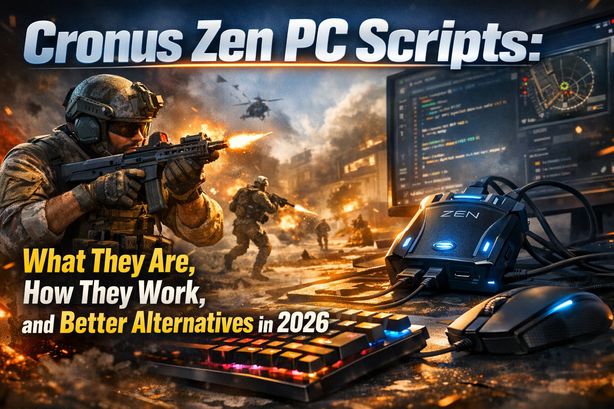
You’ve been grinding Call of Duty for hours. Your aim feels inconsistent. Recoil patterns are impossible to memorize across dozens of weapons. Every lobby plays like a CDL final. Then the killcam shows an enemy beaming you with laser-straight accuracy, as if recoil doesn’t exist on their screen. So you start wondering what they’re using.
Search for ways to win more gunfights on PC and you’ll hit one topic fast: Cronus Zen PC scripts. These small controller adapters, paired with downloadable scripts, promise everything from zero-recoil shooting to enhanced aim assist. The conversation around them has only grown heading into 2026. But are they worth the money, the risk, and the hassle?
Here’s the short version. Cronus Zen scripts can modify your input behavior, but they carry serious drawbacks: detection risk, inconsistent performance, and a constant cat-and-mouse game with anti-cheat systems. In this article, we break down how Cronus Zen PC scripts work, what they can and can’t do, and why BotLobbies’ gaming VPN, Anti Recoil software, and Aim Assist Plus offer a smarter path to better lobbies.
What Are Cronus Zen PC Scripts?
A Cronus Zen is a small USB adapter. It sits between your controller (or mouse and keyboard) and your PC or console. It intercepts and modifies input signals in real time. Users load custom scripts — sometimes called “GamePacks” — that automate or enhance certain gameplay mechanics.
Cronus Zen PC scripts are programs written in a proprietary scripting language (GPC or GPC2). They tell the device how to modify your inputs. Fire a weapon in Call of Duty with an anti-recoil script loaded, and the device applies micro-adjustments to your right analog stick (or mouse input) to counter that weapon’s recoil pattern. Your crosshair stays on target with minimal effort.
Common types of Cronus Zen scripts for PC include:
- Anti-recoil scripts — Compensate for vertical and horizontal weapon recoil
- Rapid fire scripts — Turn semi-automatic weapons into pseudo-automatic ones
- Aim assist scripts — Manipulate aim slowdown and aim assist magnetism (mainly on controller)
- Drop shot and jump shot scripts — Run advanced movement macros from a single button press
- Quick scope scripts — Time ADS and fire inputs for faster sniper shots
Players download these scripts from community forums, buy them from third-party developers, or build them in the Cronus Zen’s Zen Studio software. They load them onto the device, set weapon-specific values, then play with the modified inputs active.
How Cronus Zen Scripts Work on PC
A quick look at how Cronus Zen scripts work explains both their appeal and their limits.
The Input Interception Process
Connected to a PC, the Cronus Zen acts as a pass-through device. Your controller or mouse and keyboard plugs into the Zen. The Zen plugs into your PC via USB. The PC sees the Cronus Zen as a standard controller — it never sees your original device.
Every input passes through the Zen’s onboard processor. The loaded script evaluates each input in real time. It can modify, delay, combine, or inject inputs before passing them to the game. A Cronus Zen anti-recoil script detects when you’re firing. It then applies downward (and sometimes lateral) stick corrections at precise intervals to counter each weapon’s recoil signature.
Script Configuration and Tuning
The biggest headache with Cronus Zen PC scripts is constant tuning. Every weapon in a game like Call of Duty has its own recoil pattern. Those patterns shift with every update, patch, or balance tweak. A script that nails the XM4’s recoil today might overcorrect or undercorrect after tomorrow’s hotfix.
Users typically need to:
- Download or write a script in Zen Studio
- Flash it to the Cronus Zen device
- Set weapon-specific recoil values (often through trial and error at the firing range)
- Re-tune every time a game update changes weapon behavior
- Switch script profiles manually when swapping weapons in-game
That’s a time-consuming maintenance loop. It gets worse when paid script packs fall behind frequent updates.
The Risks and Downsides of Using Cronus Zen PC Scripts
Before you buy a Cronus Zen and hunt for the best Cronus Zen scripts, understand the real-world risks in 2026.
Anti-Cheat Detection Is Evolving Rapidly
Game publishers have ramped up their anti-cheat capabilities. Activision’s RICOCHET, for instance, now uses kernel-level driver monitoring and input pattern analysis. The Cronus Zen itself doesn’t inject code into the game, which is how traditional cheats work. But modern anti-cheat can identify the telltale input patterns scripted play produces.
Unnaturally consistent recoil compensation can trigger flags. So can perfectly timed macros and input cadences no human could produce. Several high-profile ban waves in 2025 and early 2026 targeted script-like input behavior — even without detecting the device itself.
Hardware and Software Costs Add Up
The Cronus Zen device isn’t free. Availability has been patchy too, thanks to supply chain issues and legal pressure from game publishers. Premium script packs often cost extra or require subscriptions. Add the hours spent configuring, testing, and re-tuning, and the true cost of ownership climbs fast.
Inconsistent Performance Across Games and Updates
Scripts are static programs built on fixed assumptions about game behavior. Developers push changes constantly — new weapons, recoil adjustments, aim assist tweaks, movement updates. A script can break outright or perform worse than raw input. You’re never fully in control of your own experience.
Ethical and Community Standing
Most of the gaming community considers Cronus Zen scripts a form of cheating. Being identified as a Cronus user can mean community bans and reputational damage. That hits hardest if you stream or create content.
A Smarter Approach: How BotLobbies Gives You the Edge Without the Risk
Here’s what many players miss: the reason you’re losing gunfights isn’t always your aim. It’s often your lobbies. Skill-based matchmaking (SBMM) in games like Call of Duty, Apex Legends, and Fortnite places you against opponents of similar or higher skill. The harder you try, the sweatier your lobbies get. It’s a frustrating cycle.
BotLobbies takes a different approach. It never touches your inputs. Instead, it optimizes your matchmaking environment — opening up easier, more enjoyable lobbies through legitimate VPN and geo-fencing technology.
BotLobbies Gaming VPN
The BotLobbies VPN offers 75 VPN locations across 150+ cities worldwide. It changes your matchmaking location, so SBMM systems place you in lobbies from other regions. Connect where player pools are smaller or skill levels differ, and you face easier opposition — without altering a single input.
Geo Fence Technology
BotLobbies’ Geo Fence feature covers 32 regions. It lets you appear to play from a completely different part of the world. That’s powerful for catching off-peak lobbies in distant time zones — when the most casual players are online and the sweatiest competitors are asleep.
Location Randomizer
Each time you connect to a country, the Location Randomizer shifts your apparent location to a different city or town. Matchmaking systems can’t build a pattern from your connection behavior, so your experience stays consistent.
NAT Switcher
The NAT Switcher sets your in-game NAT type to Strict. That narrows the pool of opponents you can match with. Strict NAT players connect with other Strict NAT players, which often means smaller, less competitive lobbies.
Anti Recoil and Aim Assist Plus
Want help with gunfight mechanics too? BotLobbies offers Anti Recoil software and Aim Assist Plus — purpose-built tools for weapon recoil control and target acquisition. There’s no hardware and no manual tuning grind. The software integrates with your existing setup and stays updated automatically.
Cronus Zen PC Scripts vs. BotLobbies: A Direct Comparison
The difference is simple. Cronus Zen PC scripts treat the symptom: poor recoil control in sweaty lobbies. BotLobbies treats the cause — the lobbies themselves — and adds mechanical assistance tools on top.
Tips for Getting Easier Lobbies and Better Performance in 2026
Whether you’ve been eyeing Cronus Zen scripts or just want more fun in competitive shooters, try these strategies:
- Fix your matchmaking before your inputs — Easier lobbies lift your performance without any scripts
- Use a gaming-specific VPN, not a general VPN — NordVPN and ExpressVPN aren’t built for matchmaking. BotLobbies is, with low-latency servers and matchmaking-specific features
- Try off-peak time zones — Use BotLobbies’ Geo Fence to reach regions where it’s early morning or midweek. Lobby difficulty drops sharply
- Combine the VPN with NAT switching — Stacking BotLobbies’ VPN with the NAT Switcher puts a double filter on your matchmaking pool
- Use Anti Recoil software for mechanical improvement — Software-based recoil assistance stays updated and needs no extra hardware
- Follow anti-cheat updates — The landscape moves fast. Input-modifying devices face growing scrutiny, while network-level approaches never modify your inputs at all
Frequently Asked Questions
Are Cronus Zen PC scripts detectable by anti-cheat in 2026?
The Cronus Zen device doesn’t inject software into games. But modern anti-cheat systems like RICOCHET have grown sharp at spotting unnatural input patterns. As pattern-recognition algorithms improve, players running Cronus Zen scripts face a growing risk of flags and bans. The risk is higher than it was even a year ago.
Do Cronus Zen scripts work with mouse and keyboard on PC?
Yes, Cronus Zen scripts can work with mouse and keyboard setups on PC. The device is built mainly around controller inputs, though. Anti-recoil scripts on mouse and keyboard need different configuration and are generally less effective than controller-based scripts. Many PC players find software alternatives like BotLobbies’ Anti Recoil more practical and reliable.
What is the best alternative to Cronus Zen PC scripts for easier gameplay?
The most effective alternative is a gaming-optimized VPN like BotLobbies, which reduces lobby difficulty through matchmaking optimization. Rather than modifying your inputs — which risks detection — BotLobbies changes your matchmaking location using VPN and Geo Fence technology. You land in easier lobbies naturally. Add Anti Recoil and Aim Assist Plus, and both the lobby and mechanical sides are covered.
Can I use a Cronus Zen and a gaming VPN together?
Technically, yes — nothing stops you from running a Cronus Zen alongside a VPN. But stacking tools adds complexity and raises your risk profile. The streamlined route is BotLobbies’ all-in-one platform: VPN, Geo Fence, Location Randomizer, NAT Switcher, and software-based aim assistance tools in a single subscription, with no additional hardware required.
People search for Cronus Zen PC scripts for a reason every gamer understands: they want to win more, die less, and actually enjoy playing. But in 2026, the smartest players aren’t gambling on hardware adapters and hand-tuned scripts. They’re optimizing the one variable that matters most: who they’re matched against.
BotLobbies gives you the complete toolkit. You get a gaming VPN with 75 locations, Geo Fence technology across 32 regions, the Location Randomizer, NAT Switcher, Anti Recoil, and Aim Assist Plus — all in flexible subscription plans you can cancel anytime. Head to BotLobbies.com today, pick the plan that fits your playstyle, and start dropping into the lobbies you’ve been looking for.