RankRocket guide
Level up your battle pass and weapons hands-off, then reverse-boost your K/D into easier lobbies.
Getting started
To get started with RankRocket, follow the steps below.
- 1
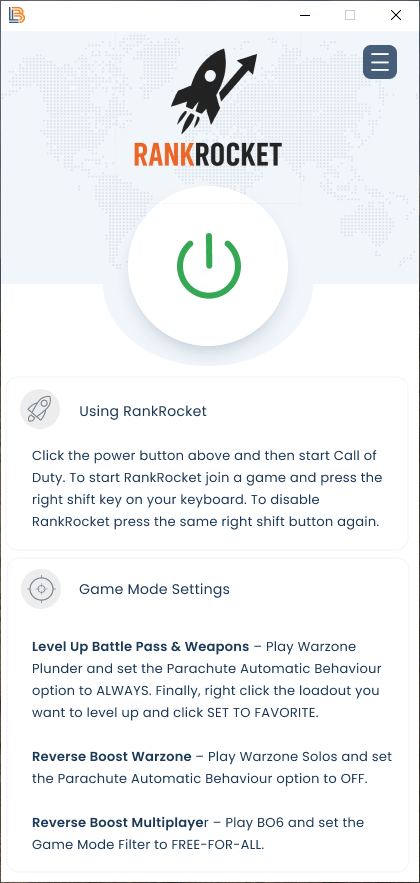
Once the app is installed, click the power button to start RankRocket. If the power button doesn't turn green, try rebooting your computer or disabling your anti-virus software.
- 2
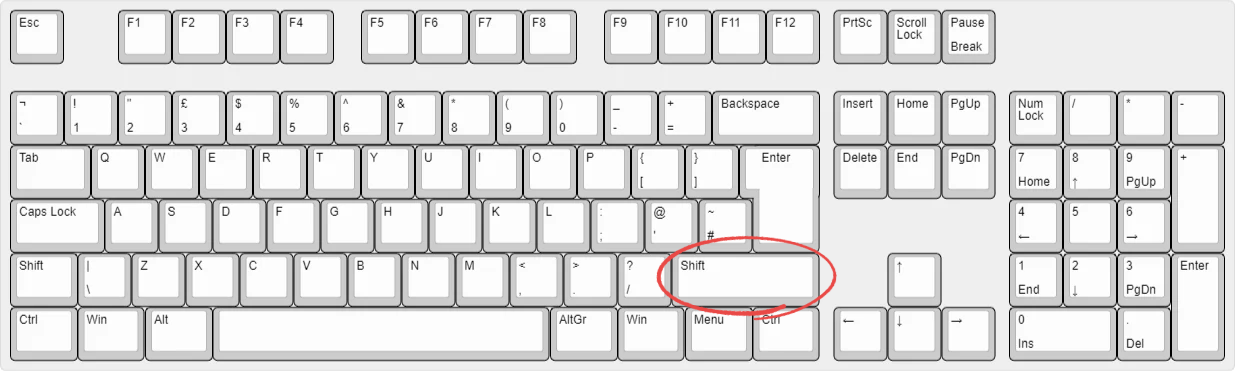
To start RankRocket's automatic processes, press the Right Shift key on your keyboard. Press Right Shift again to stop it.
Battle Pass & weapon level-up
To level up the Battle Pass and your chosen weapon, follow the steps below.
- 1
Load into Warzone and select Plunder.
- 2
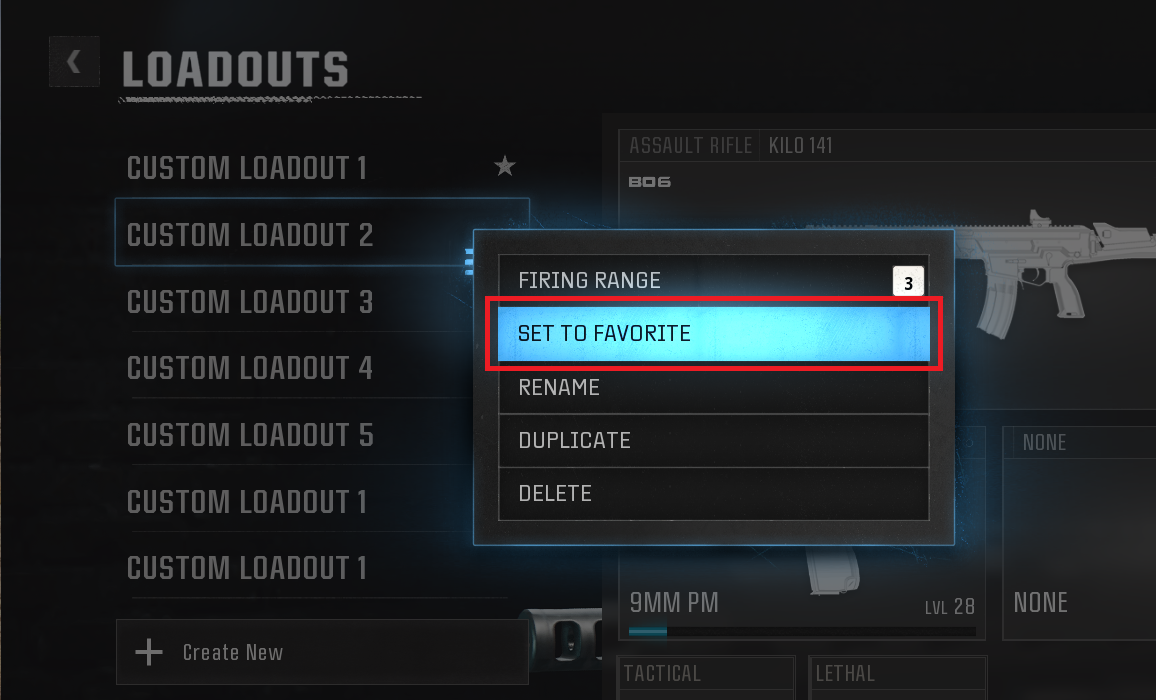
Click Weapons, right-click the loadout with the gun you want to level up, and click Set to Favourite.
- 3
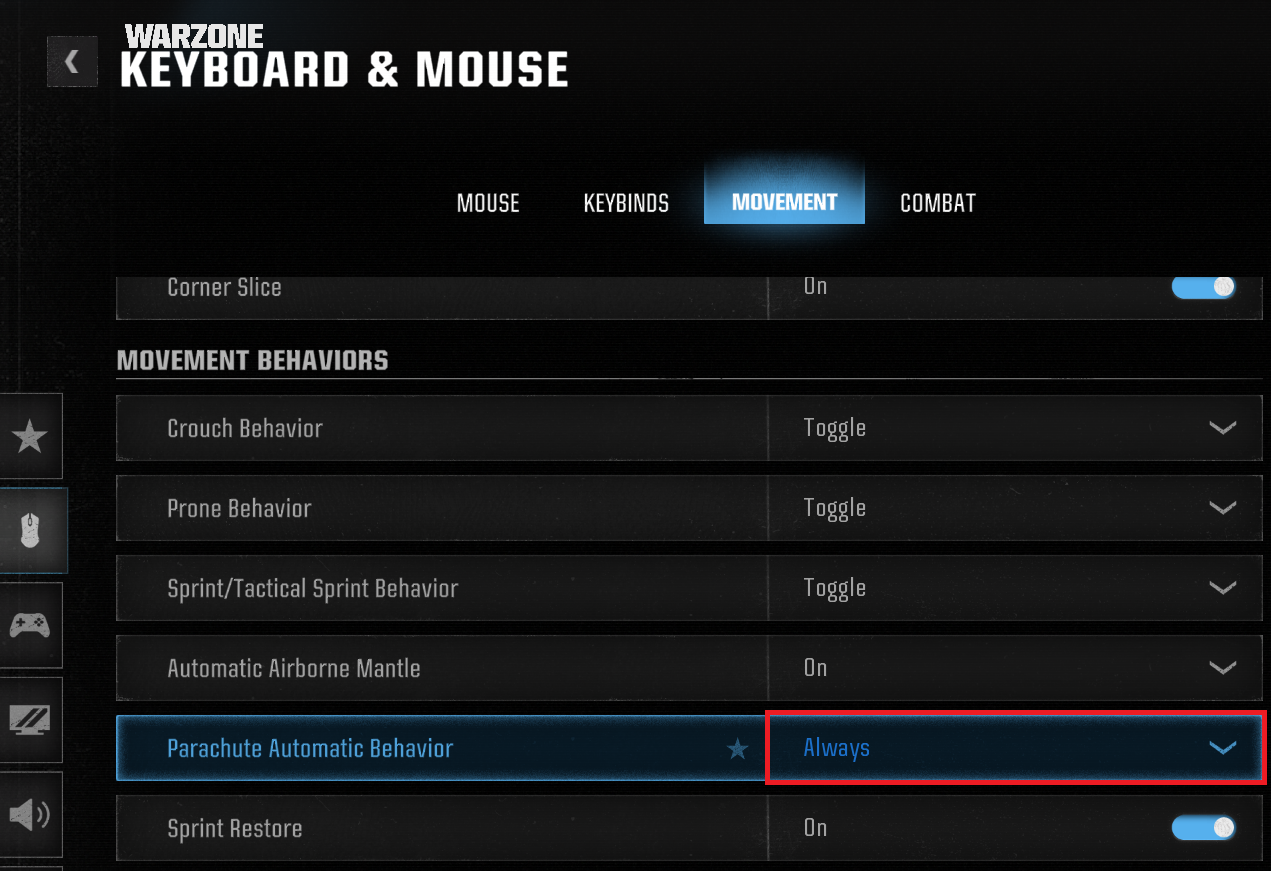
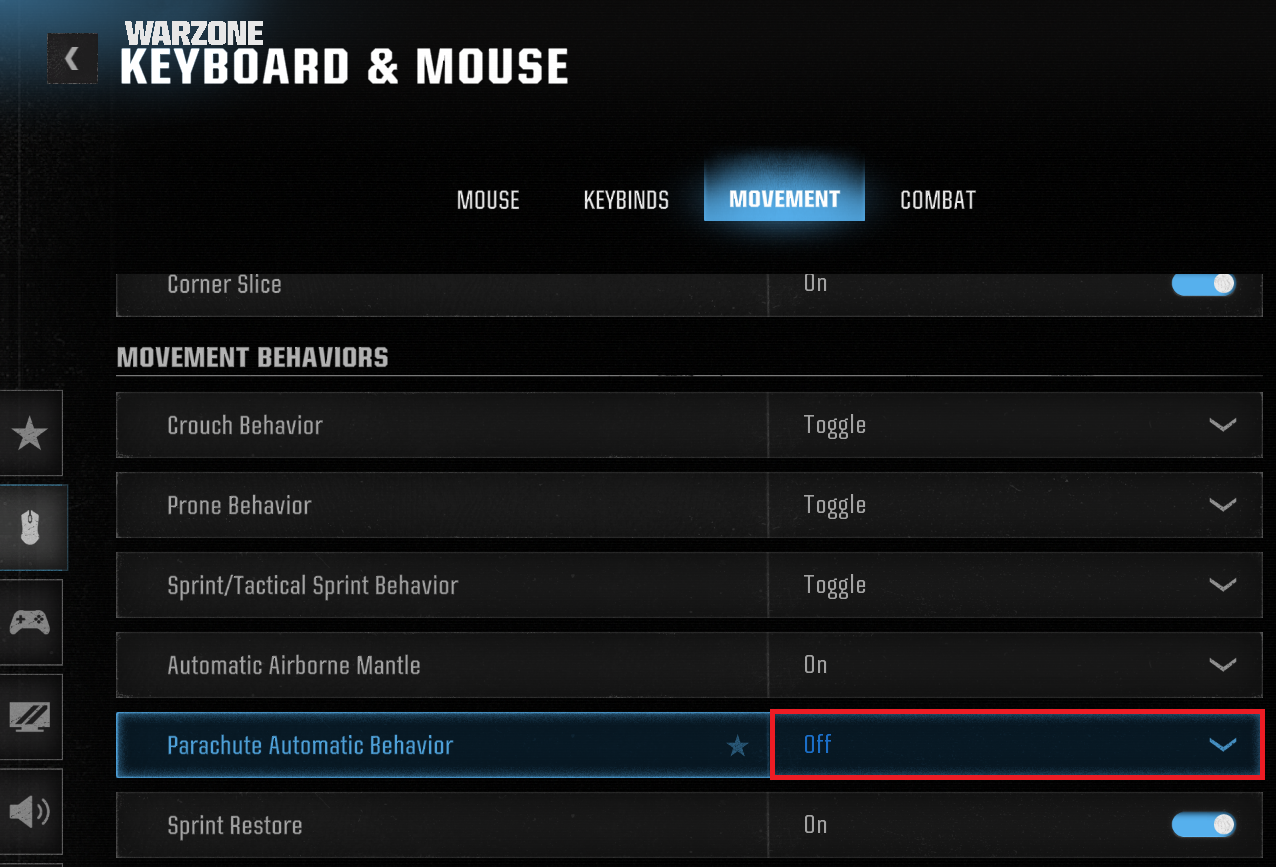
Click the Options cog → Keyboard & Mouse → Movement, and set Parachute Automatic Behaviour to Always.
- 4
Start a new Plunder game and press Right Shift. Let it run for as many hours as you like to level up your battle pass and weapon.
Reverse boost in Warzone
To reverse-boost your K/D in Warzone for easier lobbies, follow the steps below.
- 1
Load into Warzone and select Warzone Solos.
- 2
Click the Options cog → Keyboard & Mouse → Movement, and set Parachute Automatic Behaviour to Off.
- 3
Start a new Warzone Solos game and press Right Shift. Let it run for at least 1 hour to reverse-boost your K/D.
Reverse boost in Multiplayer
To reverse-boost your K/D in Multiplayer for easier lobbies, follow the steps below.
- 1
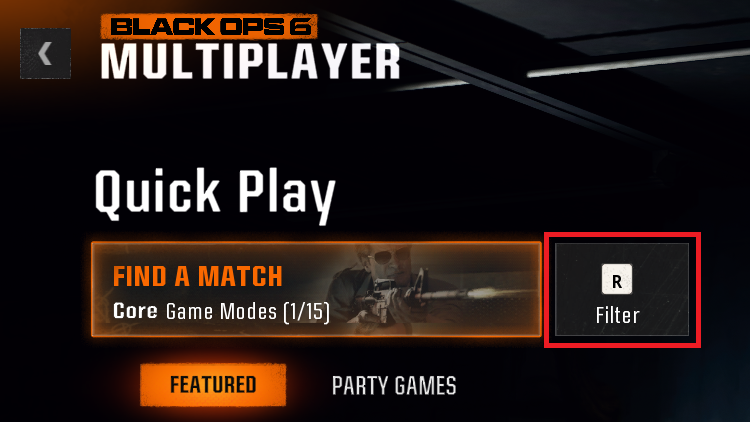
Load into Multiplayer and click Find a Match.
- 2
Click the Quick Play filter.
- 3
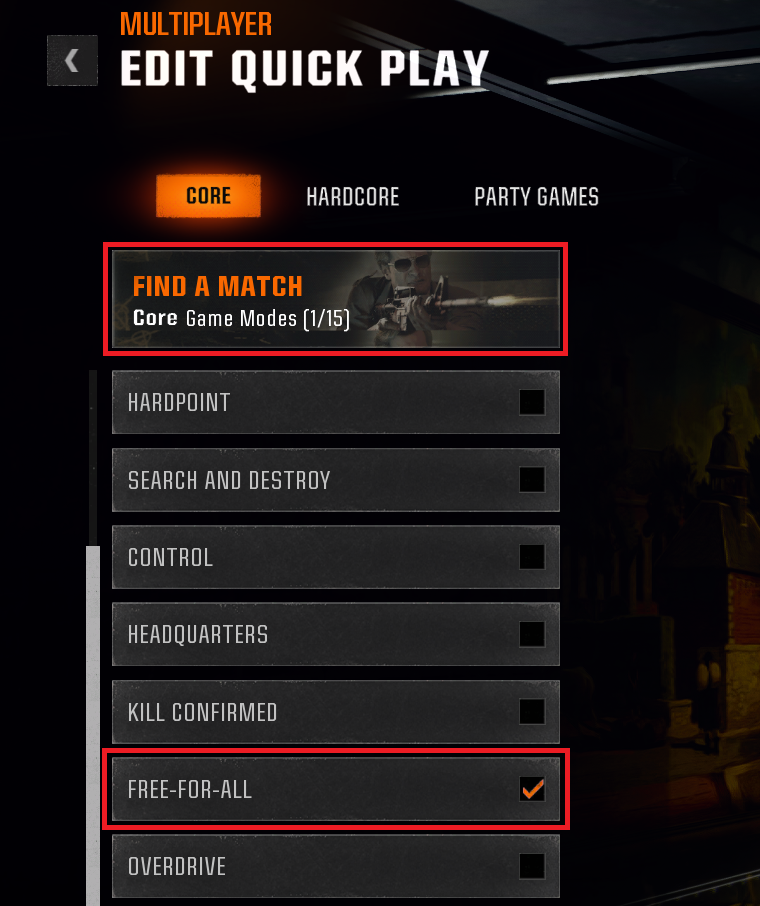
Select only Free-for-All as the game type and click Find a Match.
- 4
Press Right Shift. Let it run for at least 1 hour to reverse-boost your K/D.
Open a ticket and the team will get you sorted.