Aim Assist Plus guide
The setup guide for the legacy v3 build of Aim Assist Plus. On the latest build? Use the current guide instead.
General Configuration — Start Here
- 1
Ensure you use either full screen borderless or windowed mode.
- 2
You must power on the application before loading Call of Duty.
- 3
You must select the correct Game Mode on the Settings page of Aim Assist Plus.
- 4
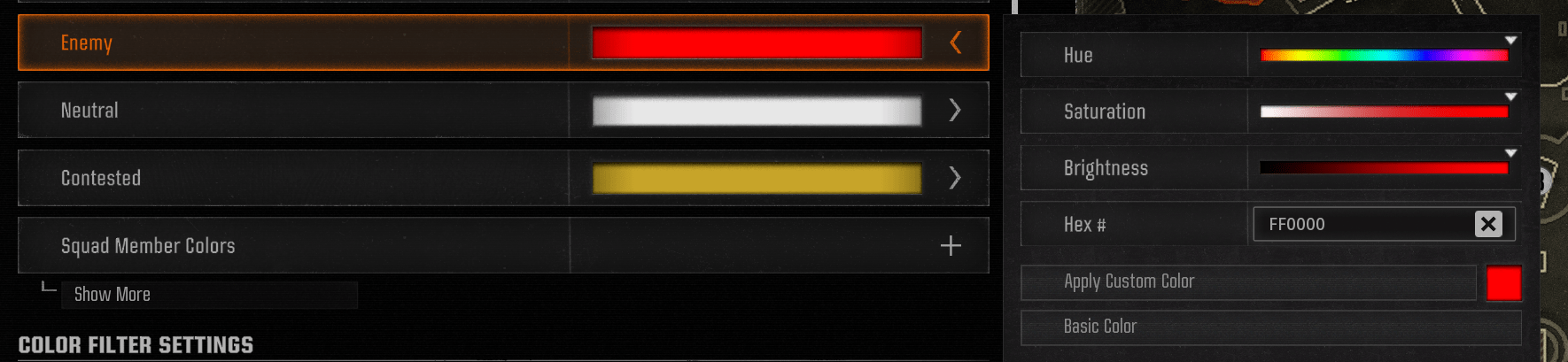
Ensure the following settings have been configured. Your enemy colour code in game must match your colour code in the Aim Assist Plus app. To set your in-game colour code, go to Settings → search for "Color Customization" → change "Enemy" to FF0000 or a colour code of your choice.
- 5
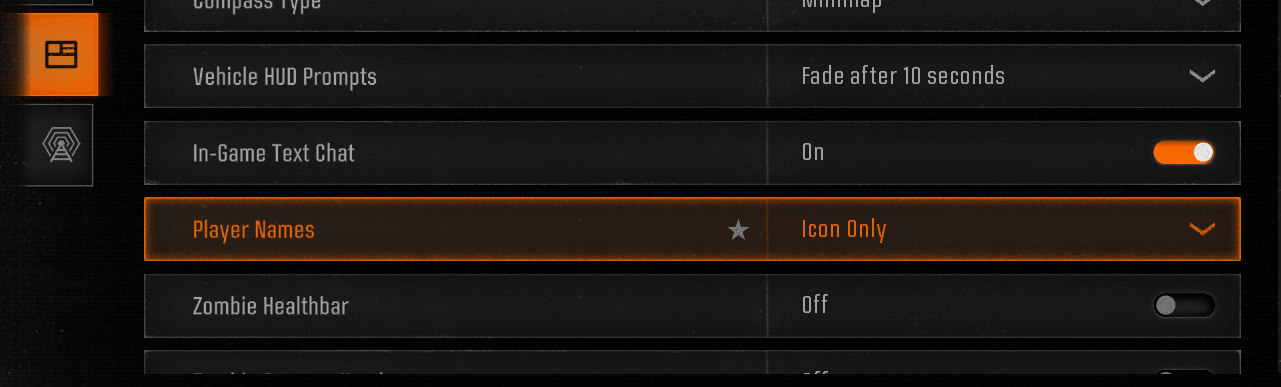
Go to Interface → Gameplay HUD → change Player Names to Icon Only.
Warzone Requirements
- 1
For the Warzone game mode you must have the tracker perk enabled on your loadouts.
- 2
You must also set the game mode in our app to Warzone.
Zombies Requirements
For the Zombies game mode you must set up the following, in addition to setting the game mode to Zombies in our app.
- 1
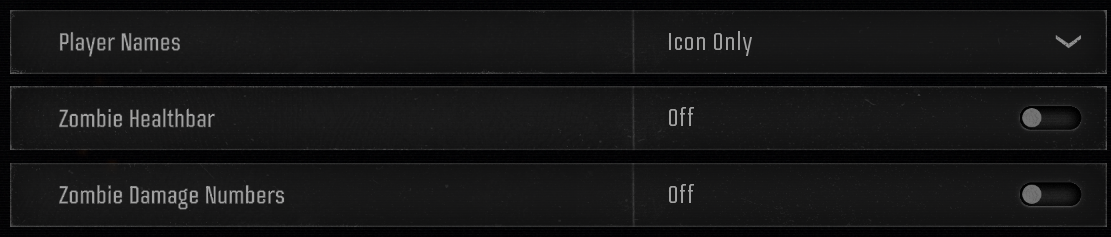
Go to Settings → Interface → Gameplay HUD.
- 2
Configure the Gameplay HUD options as shown.

- 3
Go to Settings → Interface → Readability and configure as shown.

How Do I Change the Aim Assist Speed?
- 1
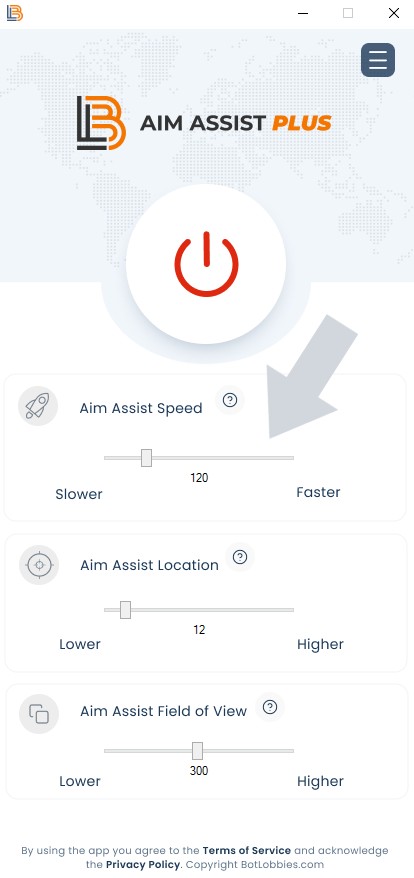
You can change the aim assist strength by simply moving the slider to the right.
- 2
Please note, when the speed is changed you can press F12 on your keyboard to update the values automatically when in game.
My Weapon Is Shooting Too High or Low?
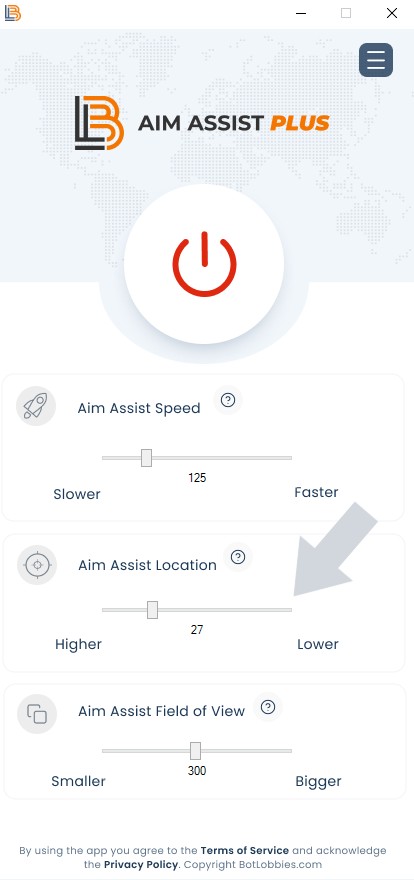
If your weapon is shooting too high or low when tracking and firing at an enemy player, you can adjust this using the **Aim Assist Location** slider.
- 1
To make your weapon shoot lower, move the slider to the right. To make your weapon shoot higher, move the slider to the left. You can live-update the setting by pressing F12 on your keyboard.
- 2
Please note, both Warzone and multiplayer will require different aim assist locations.
I Don't Seem to Be Getting Much Aim Assistance?
- 1
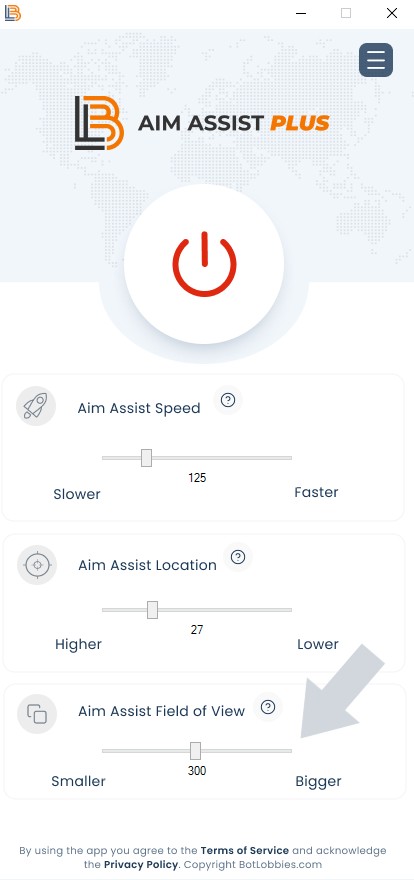
If you feel you are not getting much aim assistance, it is likely you need to adjust your Aim Assist Field of View (FOV). Increasing the view can increase the aim assist for short- to medium-range engagements with the enemy.
- 2
Adjust your Aim Assist Field of View by moving the slider to the right to increase the field, or to the left to reduce it.
How Do I Set Up My Controller?
- 1
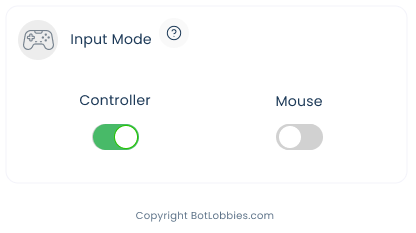
To enable controller support, simply open the Settings page and click the Controller switch.
- 2
Note: only PlayStation-based controllers are supported. All controller settings are changed in game as per normal.
Open a ticket and the team will get you sorted.